
An operations system for kids’ sports clubs
Sign-ups, coaches, invoices and bank payments in one system instead of manual work.
- roles with their own permissions
- 5roles with their own permissions
- programme types: clubs, kindergartens, camps
- 3programme types: clubs, kindergartens, camps
- from brief to full scope
- 6 weeksfrom brief to full scope
Starting point
The business grew, and so did the manual work.
Clubs, kindergarten sessions and day camps ran on a website content management system. It was enough at first. But every new programme and coach added manual work. Payments, invoices, coach hours and full clubs were handled outside the system.
First, we went through how the business runs
The data model is based on the company’s day-to-day work.
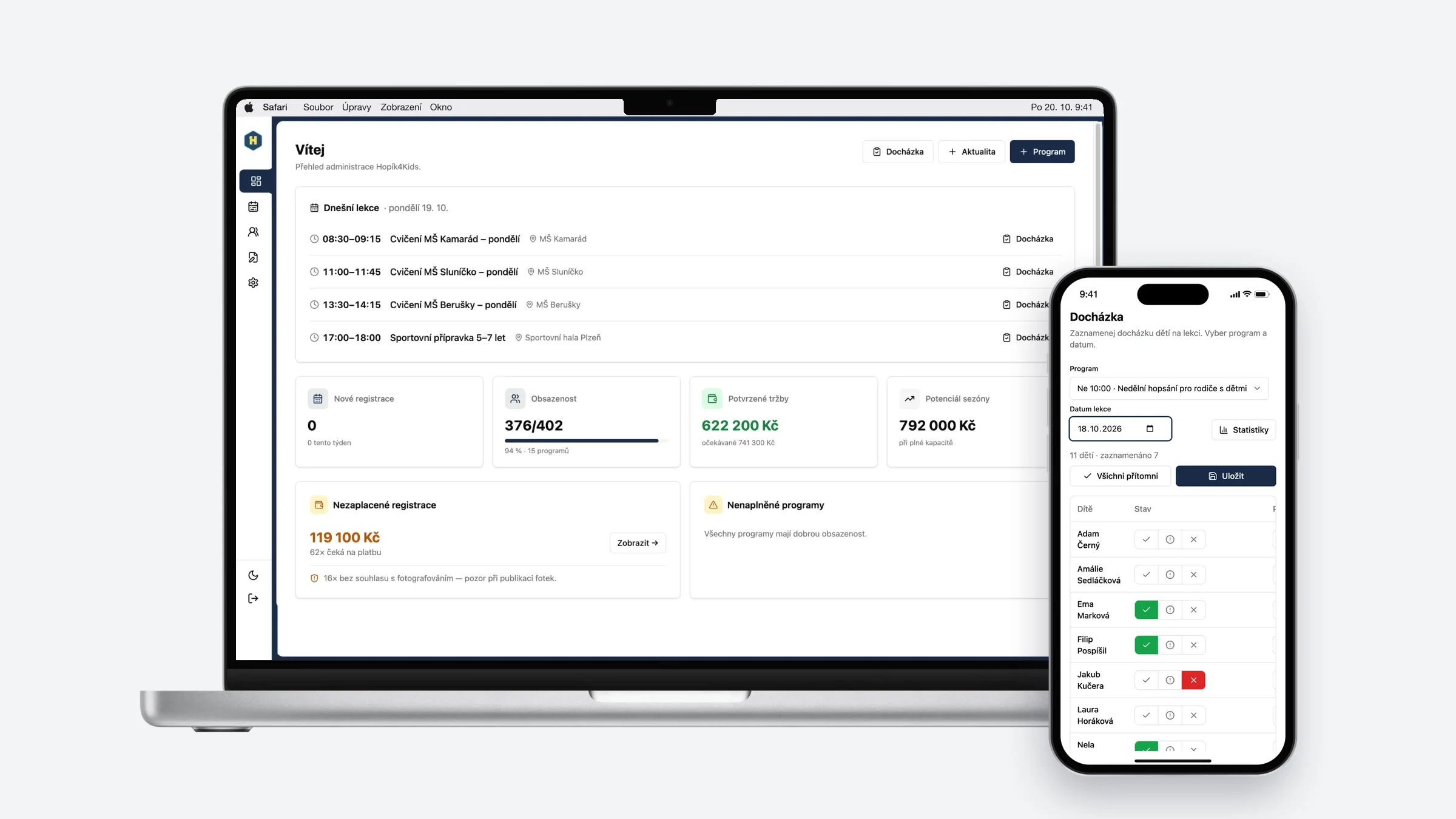
- Three programme types with different rules: parents pay for clubs, kindergartens are invoiced in bulk, camps have their own capacity and prices.
- Four groups of people: owners want an overview, coaches a schedule, the accountant documents and parents just want to sign up their child.
- We wrote down all the rules before development started.
Why not an off-the-shelf tool
Booking, invoicing and attendance tools exist separately. But no tool connects the sign-up, invoice, bank payment and coach hours.
Several tools would mean retyping data between them again. So one system, where each piece of data is entered once.
What we built
All sign-ups in one place
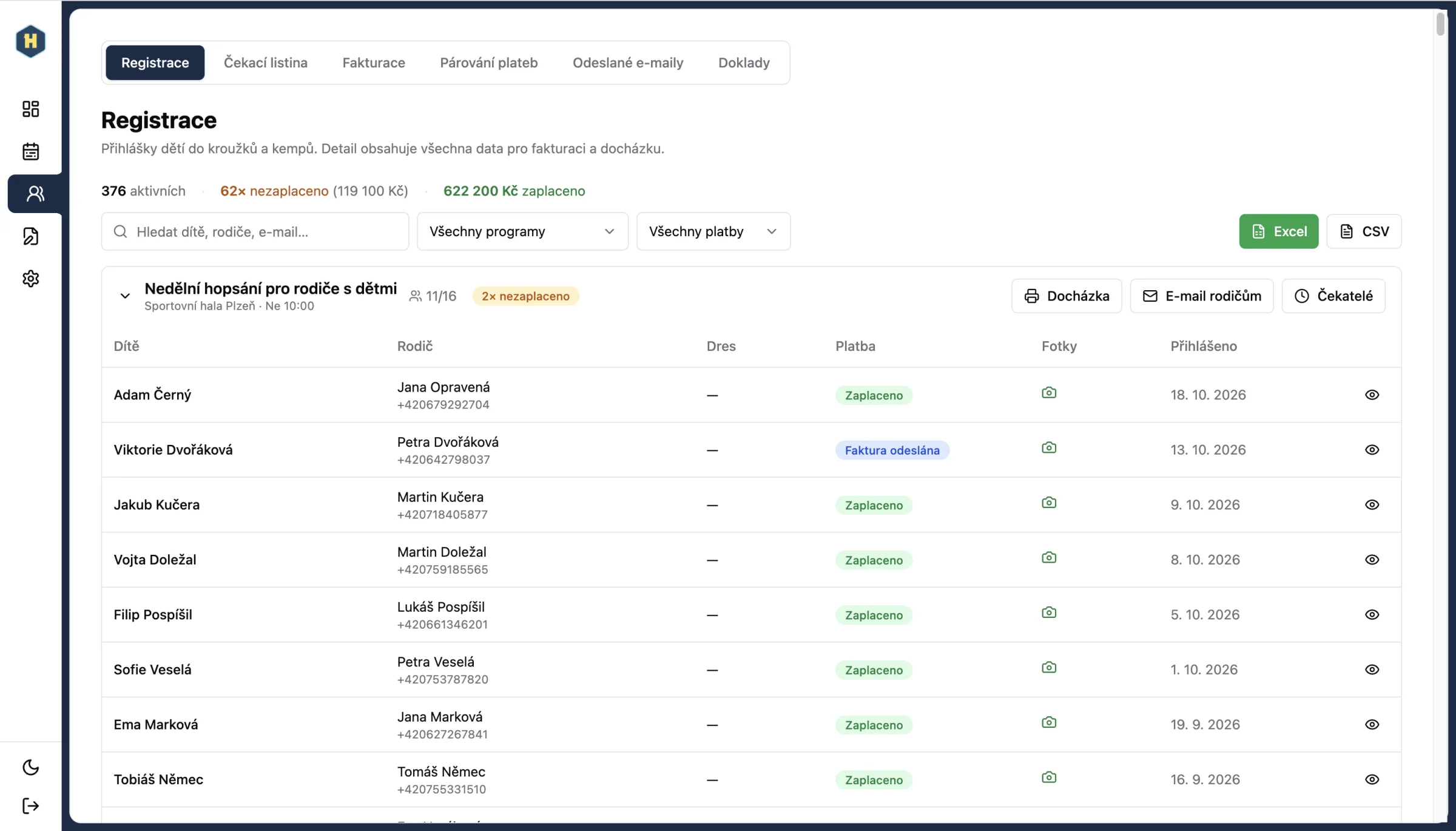
Clubs, kindergartens and camps in one overview. Capacity checks, a waiting list for full programmes and exports for further work.
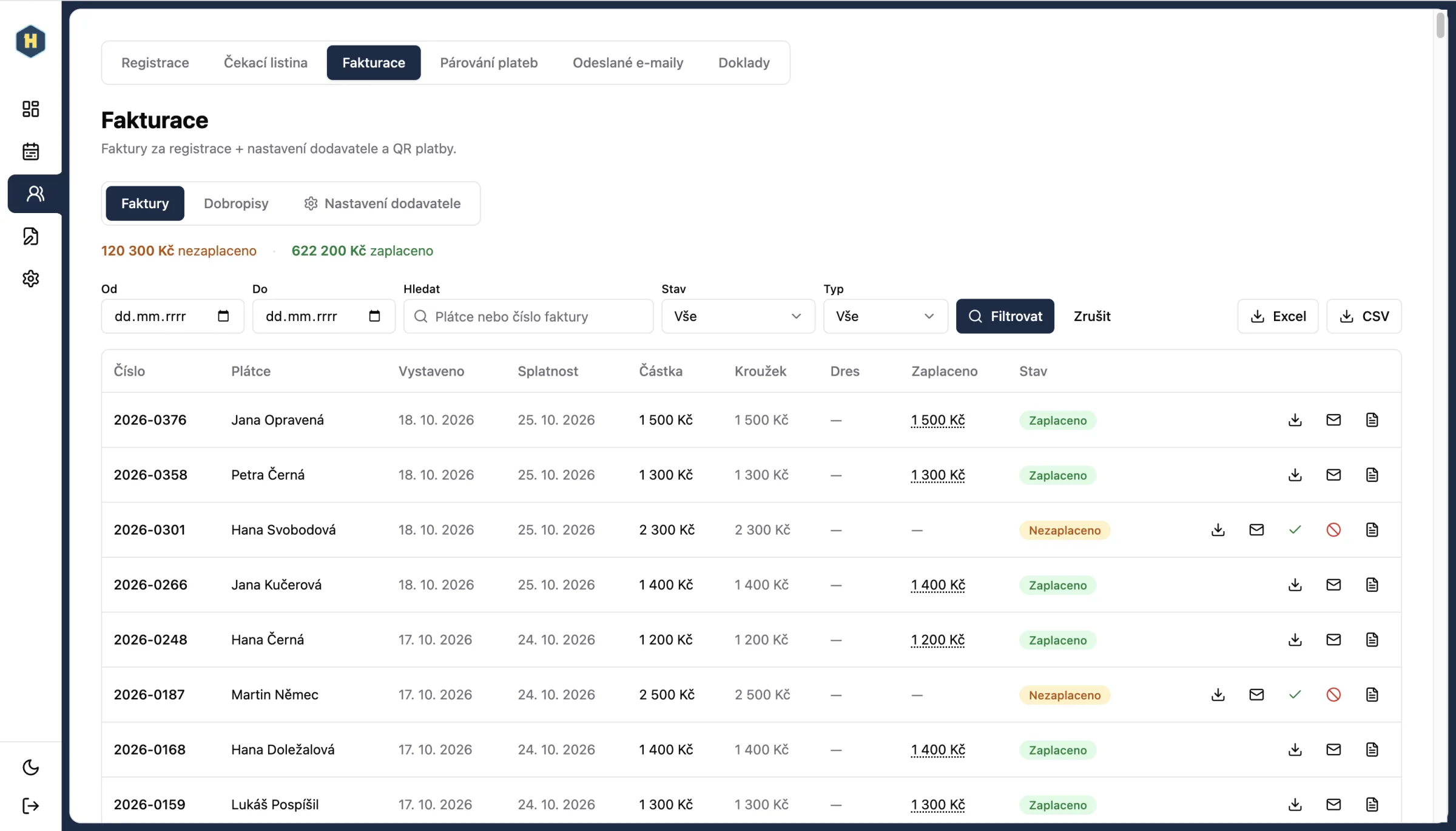
The invoice is issued automatically
A sign-up for a paid programme immediately creates an invoice with a QR payment code and sends it to the parent. Credit notes and insurance confirmations in one click.
Bank payments without manual matching
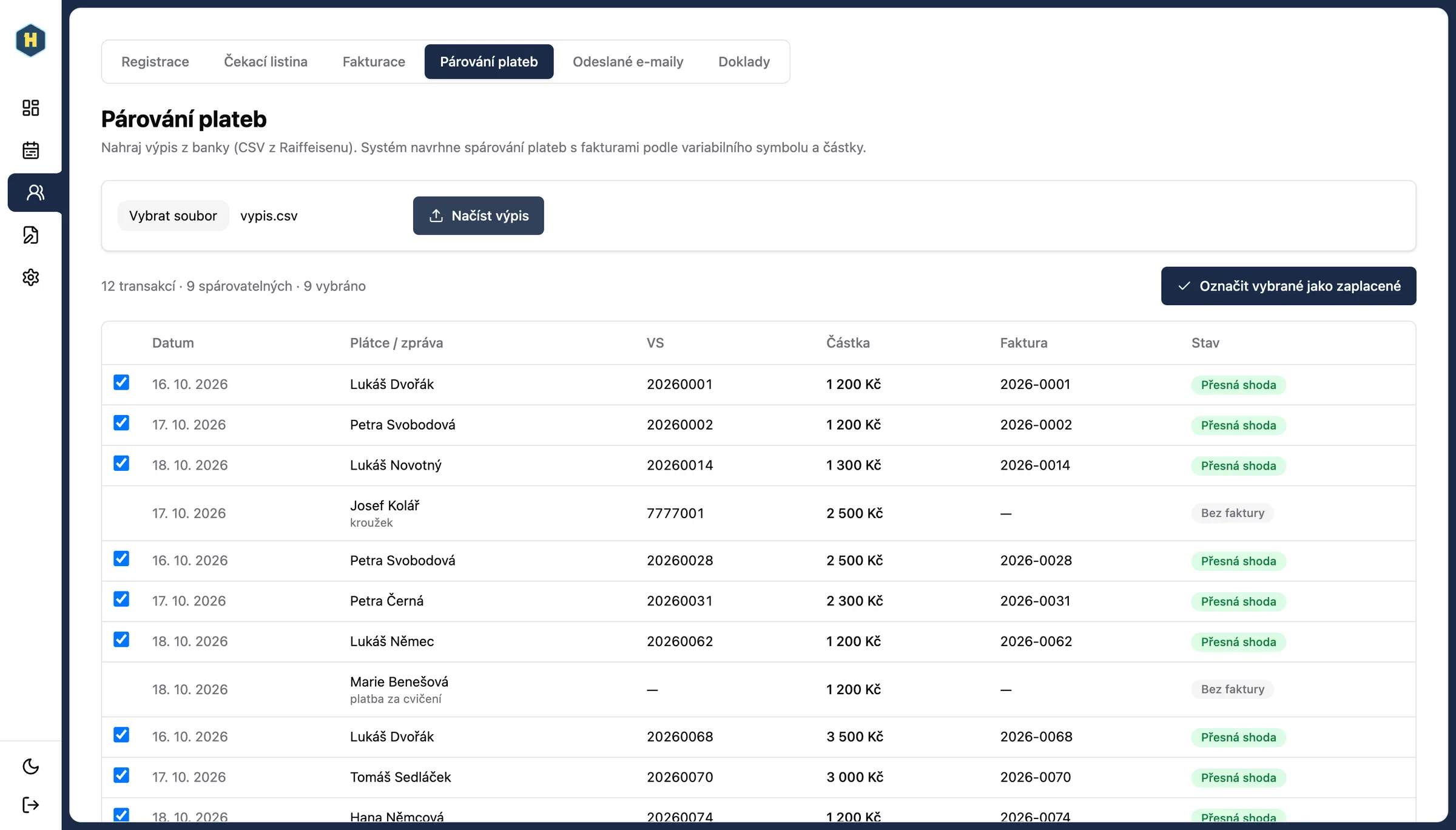
Upload a bank statement and the system matches payments by reference number and amount. If you upload the same statement twice, payments are not counted twice.
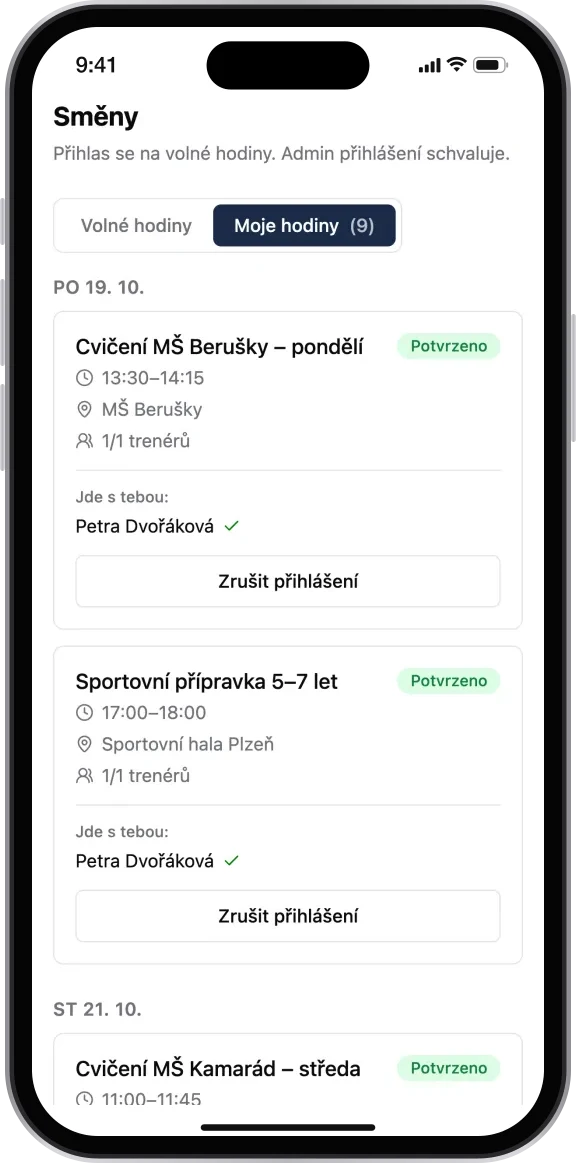
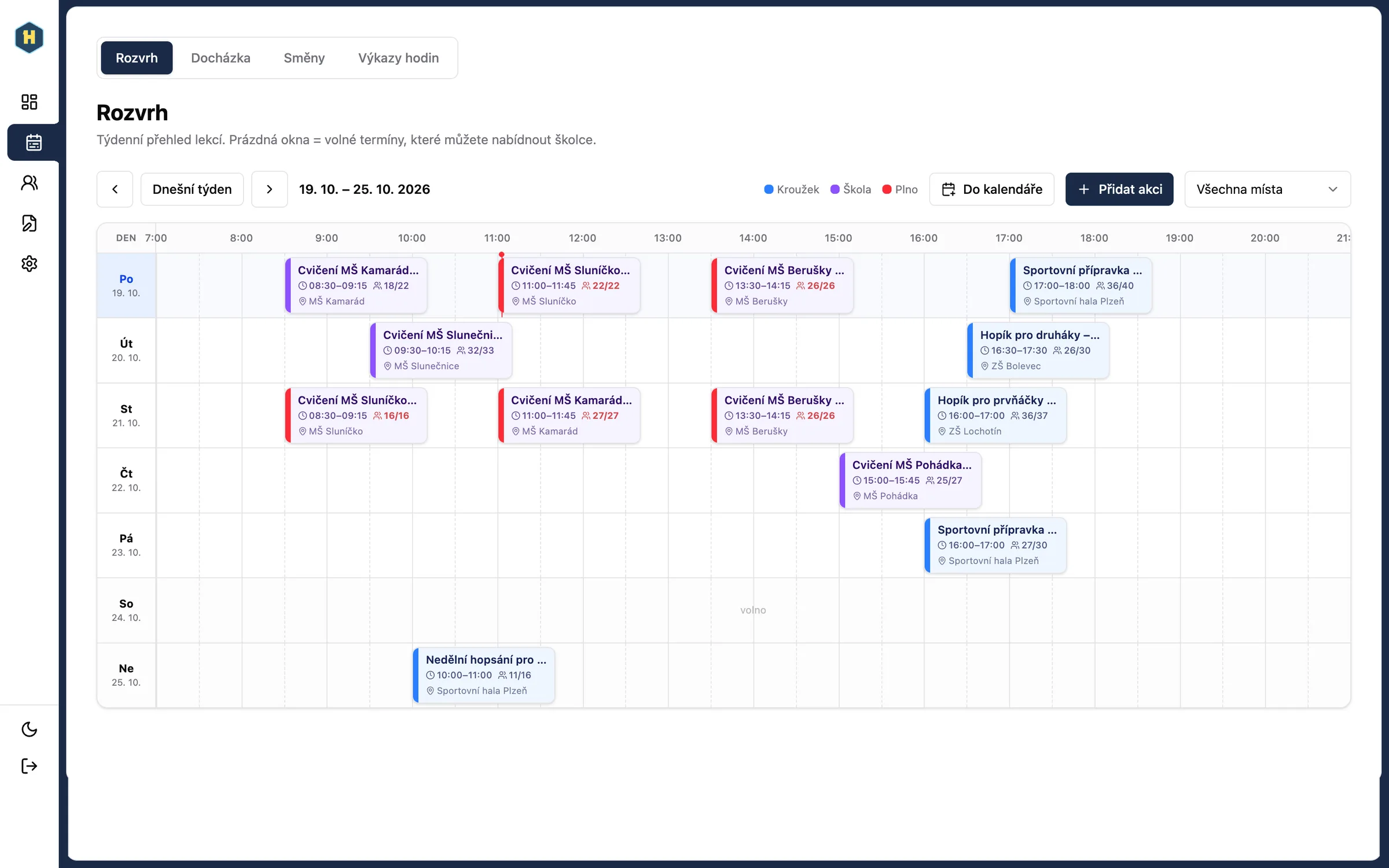
Coaches, shifts and attendance
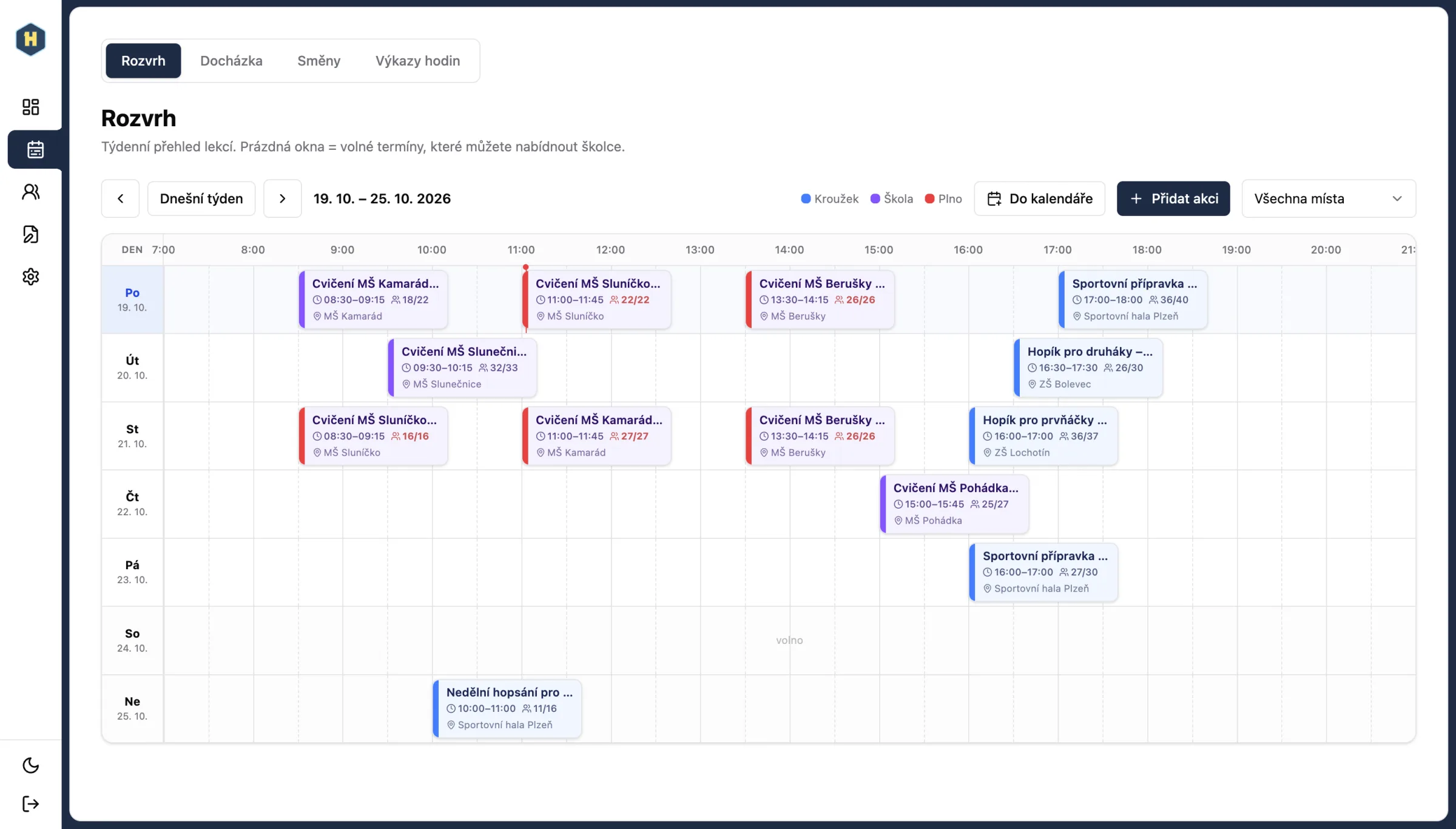
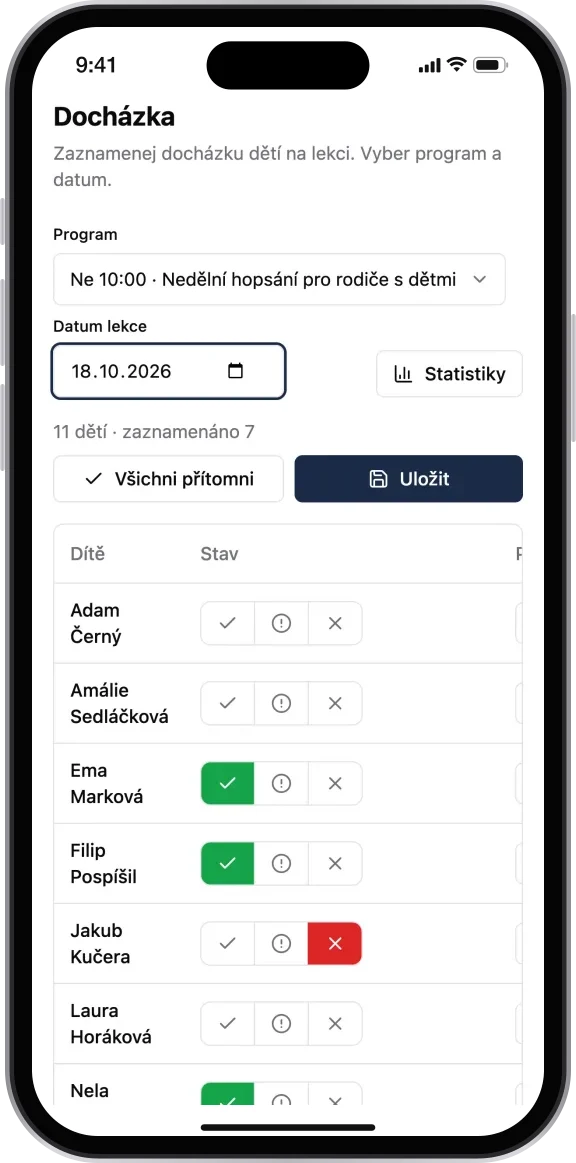
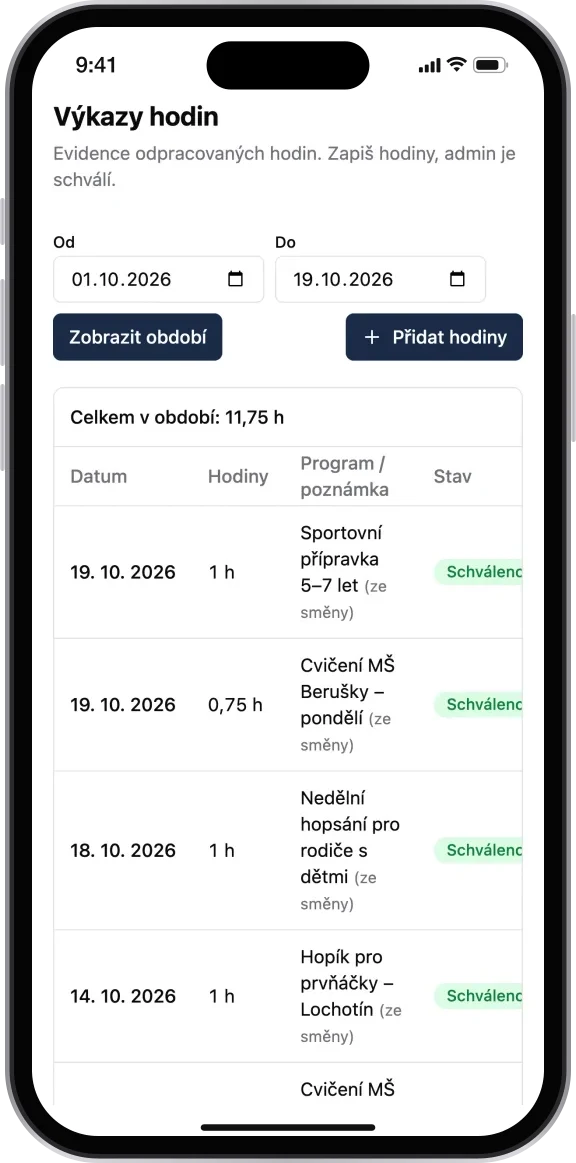
Coaches sign up for sessions and management approves the shifts. They record attendance on their phone and hours worked transfer automatically to the payroll report.
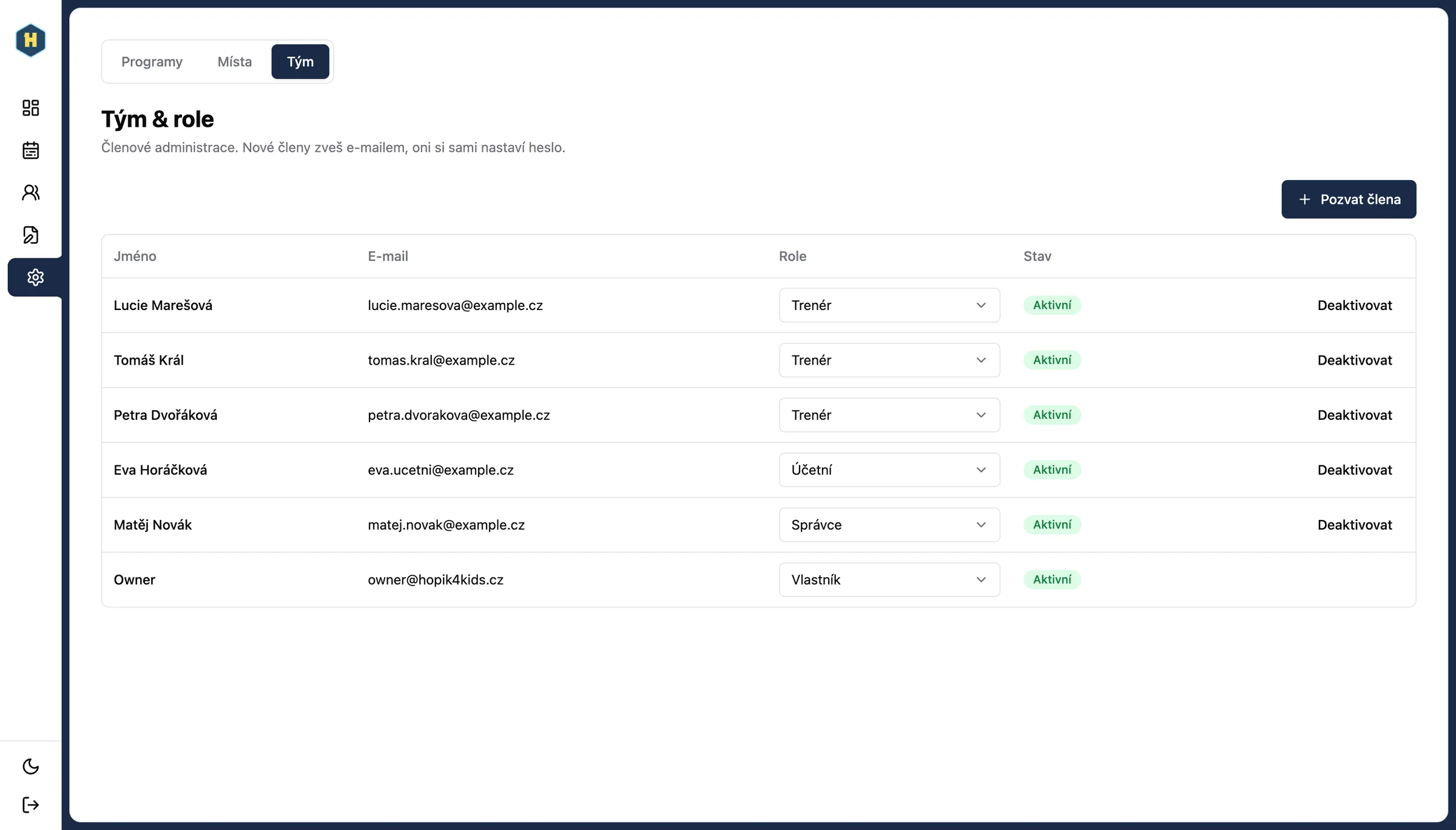
Roles and permissions
Owner, admin, coach and accountant each see only what they need. A coach sees only their own programmes and children.
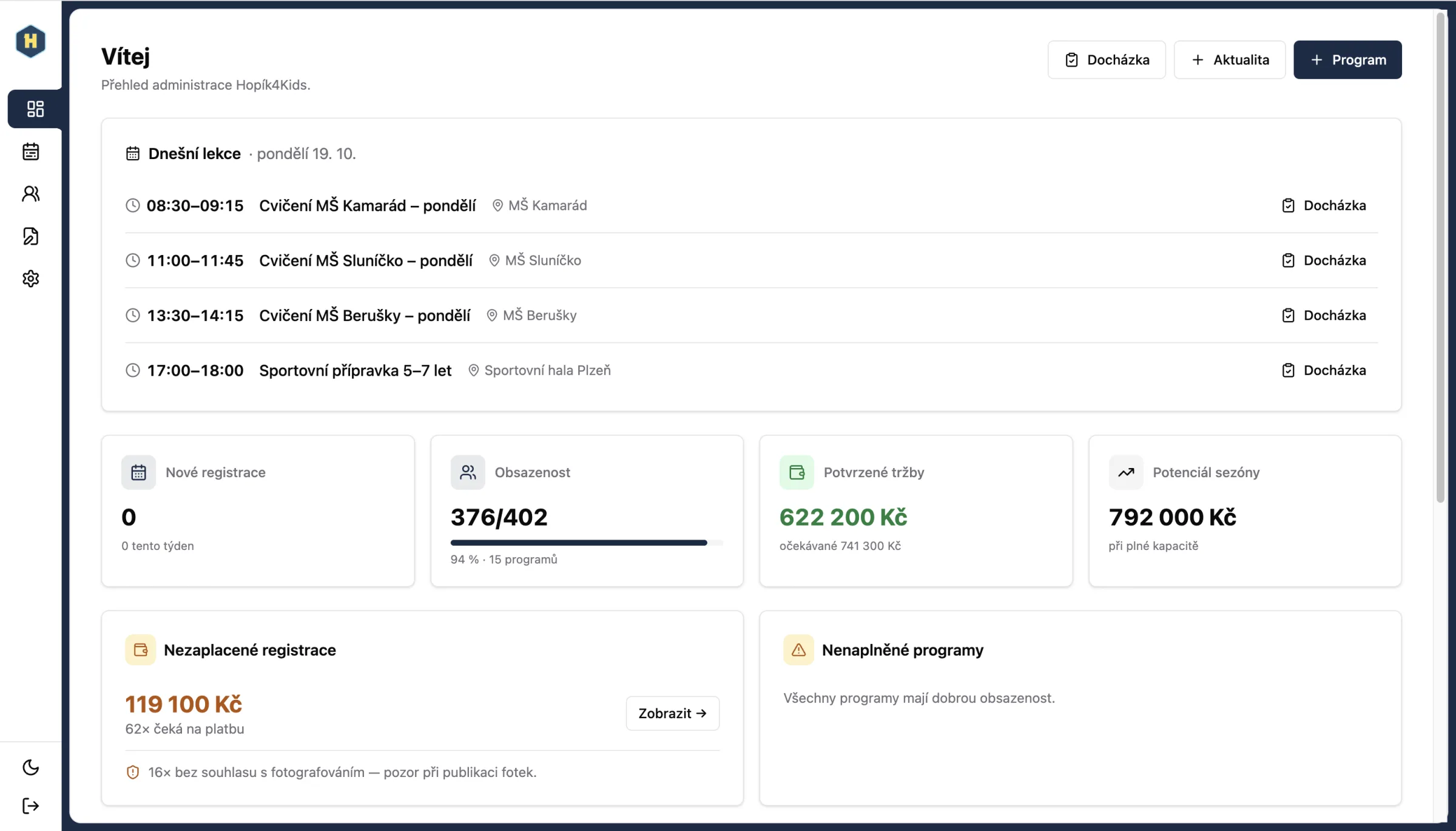
An overview for the owner
Revenue, unpaid invoices, returning children and where sign-ups come from. On one screen.

In stages, in live use
The business used each part as soon as it was ready.
Week 1
Foundations, roles, data migration and website connection.
Weeks 1–2
Invoicing, waiting list and class schedule.
Week 2
Mobile app for coaches: shifts and attendance.
Weeks 2–3
Documents, timesheets and bank payment matching.
Weeks 3–6
Fine-tuning based on operations: credit notes, confirmations, reports.
Switching over without downtime
- Nothing changed for parents. The website stayed the same, sign-ups just go to the new system.
- We migrated the data from the old system, so the history stayed.
- Coaches have the app on their phone, without installing it from an app store.
- Children’s personal ID numbers are encrypted and each role sees only what it needs.
What the system runs on
The code and data belong to the client. They can take over development or hand it to another team at any time.

 Java · Spring Boot
 PostgreSQL
 Next.js · TypeScript
 Mobile app (PWA) with notifications
- QR payments
- ARES company registry lookup
 Docker
Highlights
Each piece of data is entered once
A system for a non-technical team
„If you are looking for someone to turn your vision into something real, you are in the right place!“

Matěj Fikrle
Director, Hopík4Kids s.r.o.
Show us how things work for you today.
Tell us how your quotes, jobs and scheduling run. We'll get back to you and talk through what to fix first.

Adam Bardzák, Managing Director
hello@appitect.eu